
Voter ID Mobile Link & Photo Update in Maharashtra (2026)
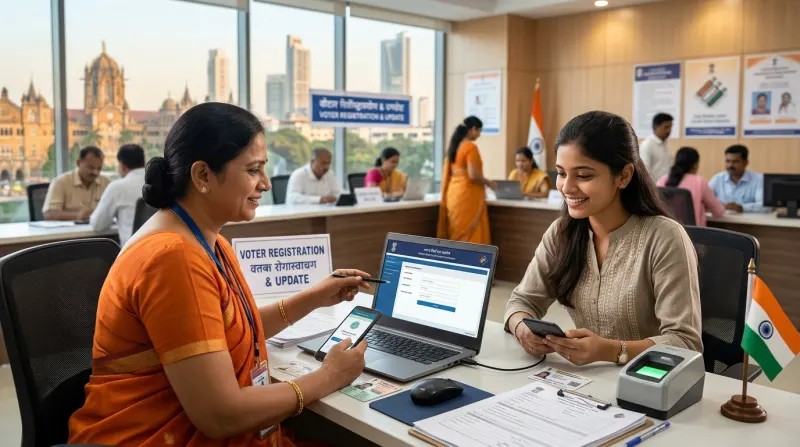
As of late 2026, maintaining an updated Voter ID card is more important than ever. Whether you need to download your digital e-EPIC or verify your identity for government services, having an accurate photograph and a linked mobile number is strictly required. A Voter ID mobile link in Maharashtra is the primary gateway to accessing your voter details online, correcting errors, and ensuring your electoral data remains secure.
Why You Must Link Your Mobile Number to Your Voter ID in 2026
In the digital age, your mobile number acts as your primary identity key. The Election Commission of India relies heavily on mobile authentication for all online portal activities. If your number is outdated or missing from your electoral roll record, you will face significant roadblocks.
First and foremost, you cannot download your e-EPIC (electronic Electoral Photo Identity Card) without an active, linked mobile number. The system requires an OTP verification to generate your secure PDF. Secondly, any future corrections—such as changing your address after a move or updating your name—will require mobile verification. Ensuring your Voter ID mobile link in Maharashtra is active saves you from tedious manual processes later.
Updating Your Photograph on the Voter ID
Many citizens carry older Voter IDs with faded, black-and-white, or unrecognizable photographs. In 2026, when using your Voter ID as proof of identity for banking, passport applications, or property registrations, a clear, recent photograph is heavily scrutinized. Updating your photo ensures your document is accepted instantly by verifying authorities.
When applying for a photo update, ensure your new picture meets the latest biometric standards. The photo should be recent, taken against a plain light background, and clearly show your full face without heavy shadows, sunglasses, or hats. Poor photo quality is a leading cause for application rejection.
The Process: Using Form 8 for Corrections
To update your mobile number or photograph, you must submit Form 8. This specific form is designated for shifting of residence, correction of entries in the existing electoral roll, replacement of EPIC, and marking of persons with disabilities. Here is a general breakdown of the process as of November 2026:
- Select the Right Form: Access the official voter service portal and select Form 8 for correction of entries.
- Choose the Correction Option: Check the specific boxes for 'Mobile Number' and 'Photograph'. You can update multiple fields in a single application if needed.
- Upload Valid Proof: While updating a mobile number requires OTP verification, updating your photo requires you to upload a compliant JPEG file. Ensure the file size meets the portal's guidelines.
- Submit and Track: After submitting Form 8, you will receive a reference number. Use this number to track the status of your application online. Processing times can vary depending on your local Electoral Registration Officer (ERO).
Common Reasons for Application Rejection
Even with a streamlined online process, many applications face rejection. Understanding these pitfalls can help you get it right the first time. The most frequent issue is uploading a photograph that does not meet the specified dimensions or clarity standards. Avoid using selfies or heavily edited images.
Another common issue occurs when citizens try to link the same mobile number to more than a few family members' Voter IDs. The system has limits on how many EPICs can be linked to a single phone number to prevent fraud. Always try to link a unique personal number to your own Voter ID. Finally, ensure your demographic details match exactly with supporting documents if you are updating other fields alongside your photo.
What to Do After Your Application is Approved
Once your ERO approves your Form 8 application, your electoral roll record will be updated in the backend databases. If you applied for a mobile number update, you can immediately log into the voter portal and download your digital e-EPIC using OTP authentication.
If you requested a photograph update, a new physical Voter ID card will generally be printed and dispatched to your registered address via Speed Post. However, physical delivery timelines can be unpredictable. You can always download the updated e-EPIC PDF instantly as a reliable backup.
Why Choose Mahi IT Services for Voter ID Updates?
Navigating government portals, handling file size compressions, and understanding Form 8 requirements can be frustrating. At Mahi IT Services, we provide expert assistance to ensure your Voter ID mobile link in Maharashtra and photo updates are processed without errors. We help you with proper document formatting, fast application submission, and tracking. Proudly serving Govandi, Ghatkopar, Thane, Kurla, Mulund, Powai, Vikhroli, Bhandup, Chembur, Mankhurd, Navi Mumbai, and Dombivli, we are your trusted local partner for all government ID, PAN, Aadhaar, and IT services.
Related services from Mahi IT Services
We handle the paperwork end to end — see pricing and required documents.
Need help with this?
Message us on WhatsApp — we will tell you exactly which documents you need and how long it takes.