
Instant e-EPIC Download 2026: Get Your Voter ID PDF Fast
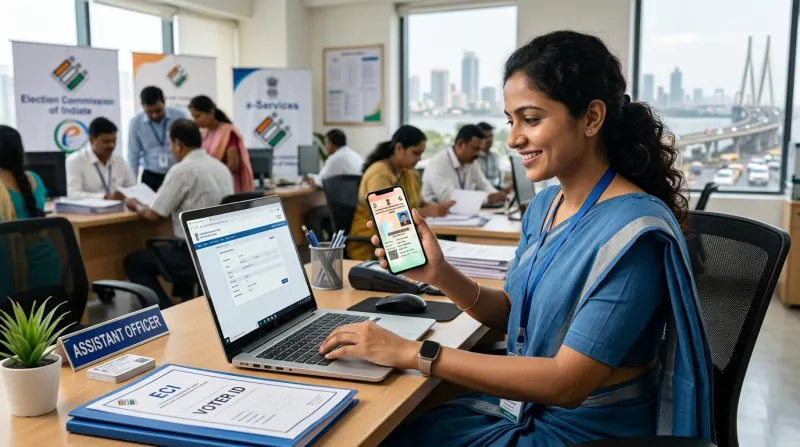
Losing your physical Voter ID card or leaving it behind when you urgently need identity proof can be stressful. Fortunately, the government's digital initiatives allow citizens to access an electronic version of their card. An instant e-EPIC download 2026 offers a secure, legally valid, and immediate solution for anyone needing their electoral document on the go.
What is an e-EPIC?
An e-EPIC, or Electronic Electoral Photo Identity Card, is a secure Portable Document Format (PDF) version of your physical Voter ID. It carries the exact same legal weight as the hard plastic or paper card. The e-EPIC features a secure QR code that contains your demographic information, serial number, and part number, making it easy for authorities to verify your identity quickly and digitally.
You can store this PDF on your mobile device, upload it to DigiLocker, or print it out when necessary. In 2026, the e-EPIC is widely accepted by banks, passport offices, and for various government welfare schemes, providing a hassle-free alternative to carrying physical documents.
Eligibility for e-EPIC Download in 2026
The rules surrounding who can download an e-EPIC have evolved. Initially restricted to newly registered voters, the facility is now generally available to all registered voters, provided one critical condition is met: your unique mobile number must be registered and linked with your electoral roll record.
If your Voter ID is quite old and you have never linked a mobile number to it, or if multiple family members share the same mobile number in the voter database, you will likely face an error during the download process. In such cases, you must first complete a KYC update by submitting Form 8 to link a unique mobile number before attempting the download.
Step-by-Step Guide for an Instant e-EPIC Download
If your mobile number is successfully linked to your voter profile, the download process is straightforward. Ensure you have a stable internet connection and your linked mobile phone nearby to receive the OTP.
- Visit the Official Portal: Navigate to the designated national voter service portal. Always ensure you are on the official government website to protect your data.
- Log In or Register: If you already have an account, log in using your registered mobile number and password. If not, you will need to create a brief profile.
- Navigate to the Download Section: Locate the specific menu option for 'e-EPIC Download'.
- Enter Your Details: Input your unique EPIC number (found on your old voter card or voter slip) or your Form 6 reference number if you are a newly registered voter. Select your State from the dropdown menu.
- Verify via OTP: The system will mask your registered mobile number and prompt you to send an OTP. Enter the OTP received on your phone to verify your identity.
- Download the PDF: Once verified, the secure PDF file will download to your device. You can now save it or print it.
Troubleshooting Common Download Issues
Even with a clear process, users frequently encounter roadblocks in 2026. The most common issue is the 'Mobile Number Not Registered' error. As mentioned, this requires submitting a Form 8 for correction. Another frequent problem is server downtime during election seasons, which can cause OTP delays or portal timeouts. If you experience this, it is best to attempt the download during off-peak hours, such as early morning.
Sometimes, users find that their demographic details in the downloaded PDF contain spelling mistakes or an outdated photo. In such scenarios, the e-EPIC accurately reflects the backend database. You will need to apply for a correction (via Form 8) and wait for approval before downloading a fresh, corrected e-EPIC.
From PDF to PVC Smart Card
While the PDF is highly convenient for digital sharing, many citizens still prefer a physical card for daily use. Once you have completed your instant e-EPIC download 2026, you can easily use that pristine PDF file to get a high-quality PVC smart card printed. A hard-plastic PVC card is durable, water-resistant, and fits perfectly into your wallet, replacing the easily damaged paper cards of the past.
Why Choose Mahi IT Services for Your Digital IDs?
Struggling with OTP issues, forgotten EPIC numbers, or mobile linking errors? Mahi IT Services provides immediate, professional assistance for your instant e-EPIC download 2026 and PVC card printing needs. We streamline the entire process, ensuring you get your documents quickly and securely. Serving clients across Govandi, Ghatkopar, Thane, Kurla, Mulund, Powai, Vikhroli, Bhandup, Chembur, Mankhurd, Navi Mumbai, and Dombivli, we are your dedicated local experts for Voter IDs, Aadhaar updates, PAN services, and comprehensive IT solutions.
Related services from Mahi IT Services
We handle the paperwork end to end — see pricing and required documents.
Need help with this?
Message us on WhatsApp — we will tell you exactly which documents you need and how long it takes.