
Check NPCI Aadhaar Bank Link Status for Subsidies 2026
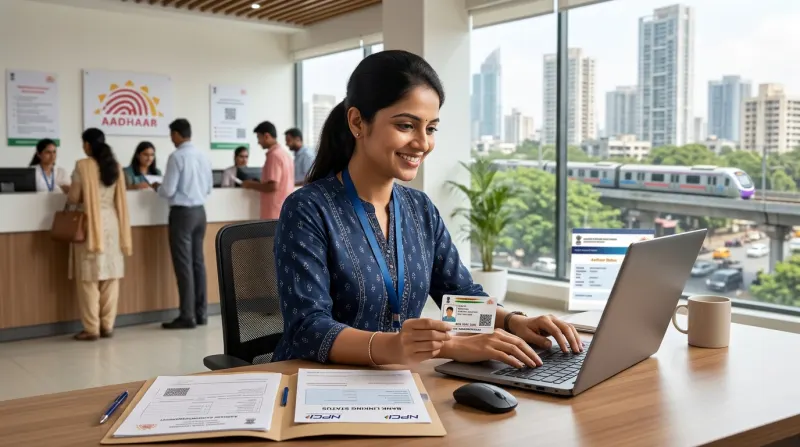
As of October 29, 2026, securing your government subsidies requires a seamless digital connection between your identity and your finances. The Direct Benefit Transfer (DBT) system relies entirely on your NPCI Aadhaar bank linking status. If your bank account is not correctly mapped with the National Payments Corporation of India (NPCI), your subsidy funds will bounce back to the government. Understanding how to check and update this status is crucial for every citizen receiving welfare funds.
Understanding NPCI Aadhaar Seeding
NPCI Aadhaar seeding is the technical process of mapping your 12-digit Aadhaar number to your specific bank account. This mapping acts as a primary digital routing address for all government departments. When a department releases funds, they do not need your bank account number. Instead, they send the money to your Aadhaar number, and the NPCI network automatically routes it to the seeded bank account.
Why Bank Seeding Matters in 2026
In 2026, the government has further tightened the rules surrounding DBT payments. Schemes like PM-Kisan, LPG gas subsidies, student scholarships, and maternity benefits exclusively use Aadhaar-based payment bridges. If your NPCI Aadhaar bank linking status is inactive, you will face indefinite delays in receiving your entitlements. Ensuring an active status is now a mandatory annual compliance check for most beneficiaries.
How to Check Your NPCI Aadhaar Bank Linking Status
Checking your current mapping status is a straightforward online process, provided your mobile number is linked to your Aadhaar. You must use the official UIDAI website or the designated DBT portal. Always remember to check official portals for the most accurate and real-time updates regarding your status.
Step-by-Step Online Verification Process
To verify your status online, you will need your Aadhaar card and access to your registered mobile phone. Follow these general steps for 2026:
- Visit the official UIDAI portal and navigate to the Aadhaar Services section.
- Select the option to check Aadhaar/Bank Seeding Status.
- Enter your 12-digit Aadhaar number or 16-digit Virtual ID, followed by the security captcha.
- Input the OTP sent to your registered mobile number.
- The screen will display your current NPCI Aadhaar bank linking status, showing the bank name and whether the mapping is active or inactive.
Resolving 'Inactive' or 'Failed' Seeding Status
Many users discover that their status shows as 'Inactive'. This usually happens if the bank account has become dormant due to lack of transactions, or if the bank has reset their KYC requirements. In some cases, merging of public sector banks can also cause temporary disruptions in NPCI mapping.
If you face this issue, you must visit your bank branch and submit a fresh mandate for DBT mapping along with a copy of your Aadhaar card. Some banks now offer this facility via their official net banking portals under the 'Update KYC' or 'Aadhaar Seeding' sections. Processing times can vary, so applicants should confirm current timelines directly with their respective banks.
Important Rules and Official Deadlines
The government frequently sets specific deadlines for linking your bank account to continue receiving uninterrupted scheme benefits. While UIDAI does not charge citizens for checking their status online, your bank might have specific administrative procedures. Applicants should always confirm current fees and deadlines on the official UIDAI or DBT portals, as these administrative rules can change without prior notice.
Furthermore, you can only have one bank account mapped to NPCI for DBT at any given time. If you submit seeding requests to multiple banks, the system will only route funds to the most recently updated account. It is highly recommended to maintain one dedicated account for all government subsidies to avoid confusion.
Why Choose Mahi IT Services?
Navigating government portals and fixing document mismatches can be stressful. At Mahi IT Services, we offer instant assistance for checking your NPCI Status, Aadhaar Verify services, and PMJAY Print solutions. Whether you need an instant Aadhaar manual download or help fixing an Aadhaar DOB update limit crossed issue, our expert team is here to help.
We proudly serve clients across Govandi, Ghatkopar, Thane, Kurla, Mulund, Powai, Vikhroli, Bhandup, Chembur, Mankhurd, Navi Mumbai, and Dombivli. Let us handle your digital document compliance so you can receive your government benefits without interruption. Contact Mahi IT Services today for reliable, fast, and accurate government document assistance.
Related services from Mahi IT Services
We handle the paperwork end to end — see pricing and required documents.
Need help with this?
Message us on WhatsApp — we will tell you exactly which documents you need and how long it takes.